Flex Pass Information
TEXT INSTRUCTIONS BELOW
Redeeming Flex Pass Tickets is now easier and more convenient than ever. Here is the step-by-step guide for redeeming the vouchers online via desktop or through the SMU Athletics app.
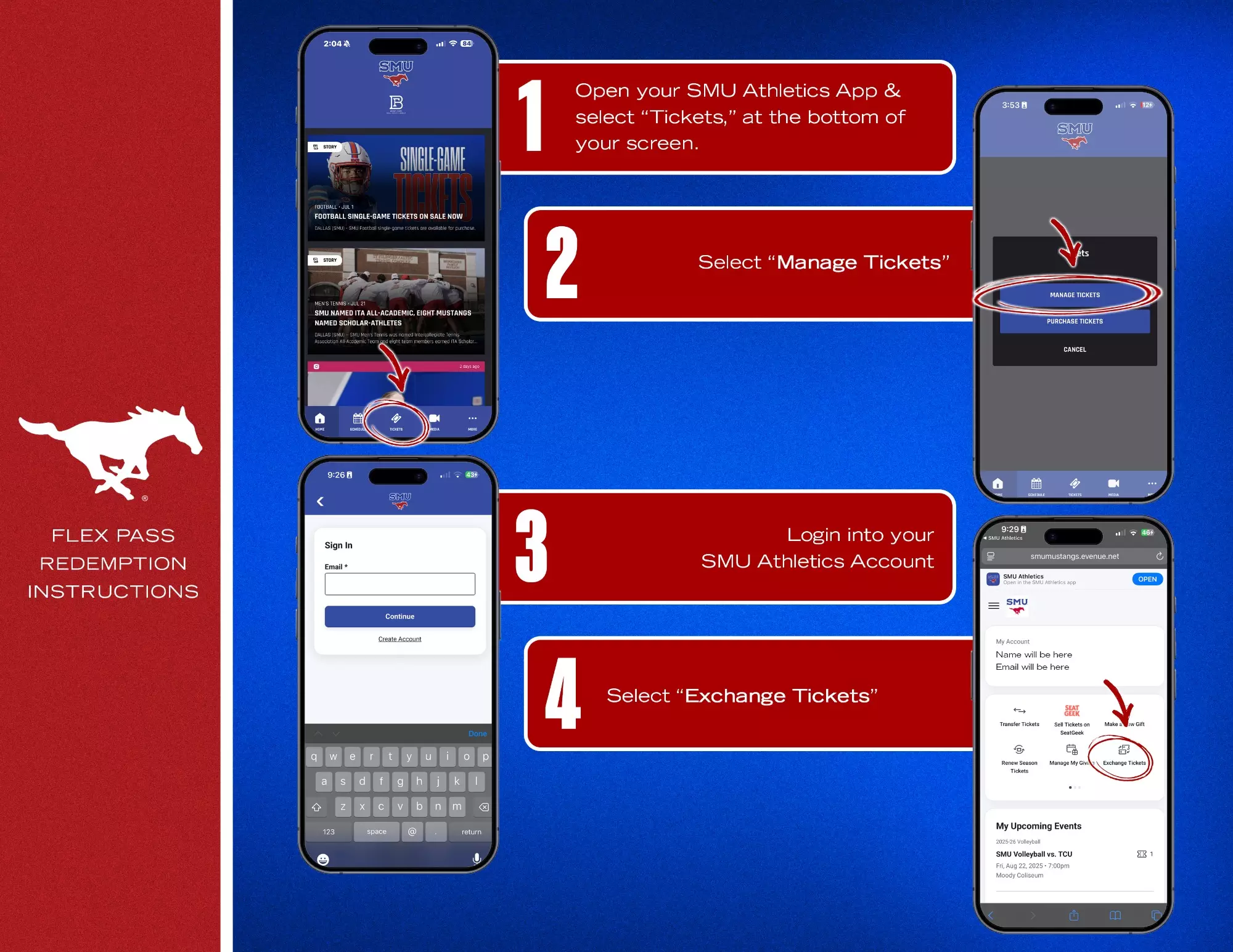
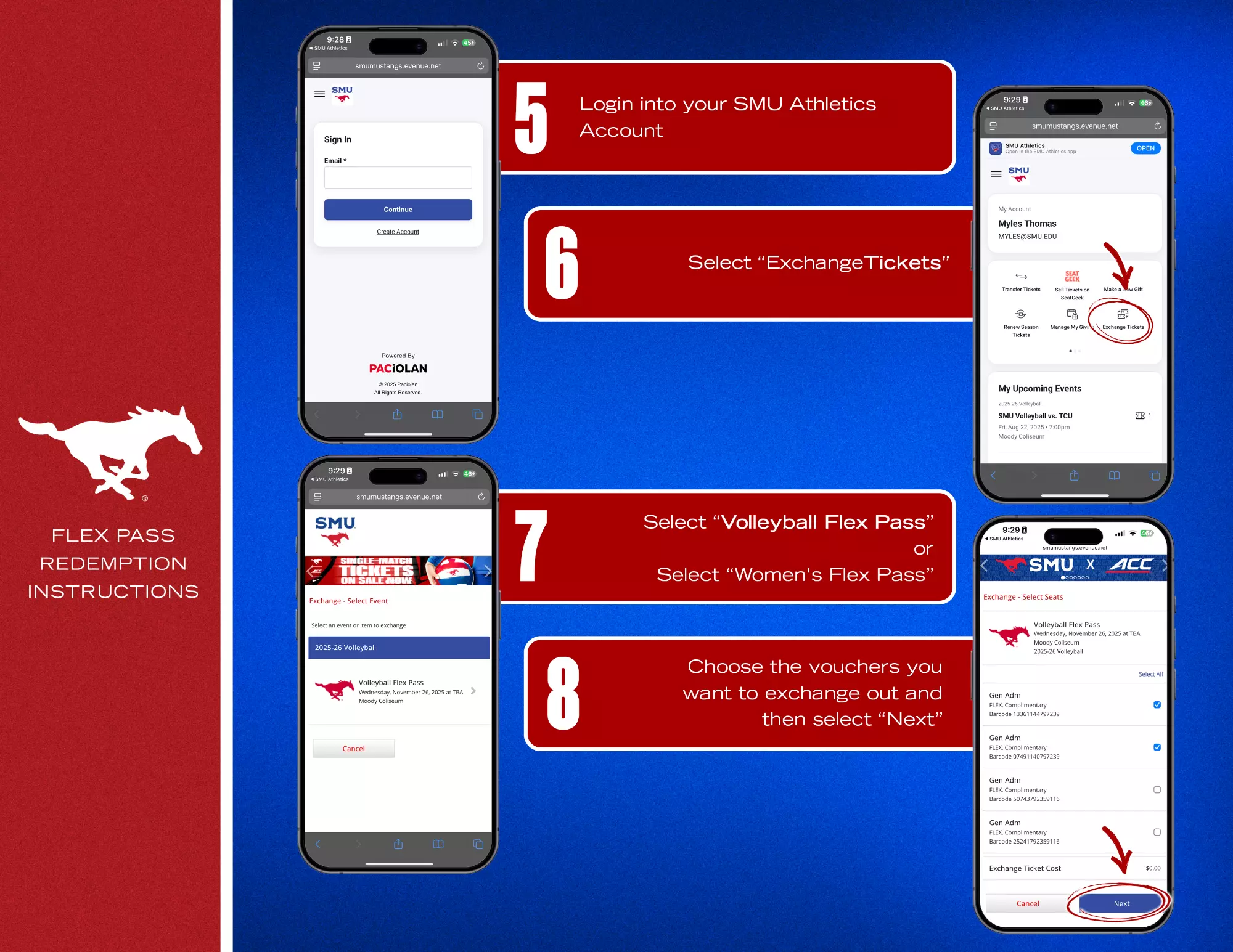
- Step 1: Log in to your SMU Athletics account via SMUMustangs.com or the SMU Athletics App.
- On the App: Tap “Tickets” > “Manage Tickets” > log in. Then select “Exchange Tickets” and log in again if prompted.
- On Desktop: Click “Exchange” from your ticket dashboard.
- Step 3: Select “Volleyball Flex Pass” or “Women's Flex Pass”
- Step 4: Choose the vouchers you want to redeem and click “Next.”
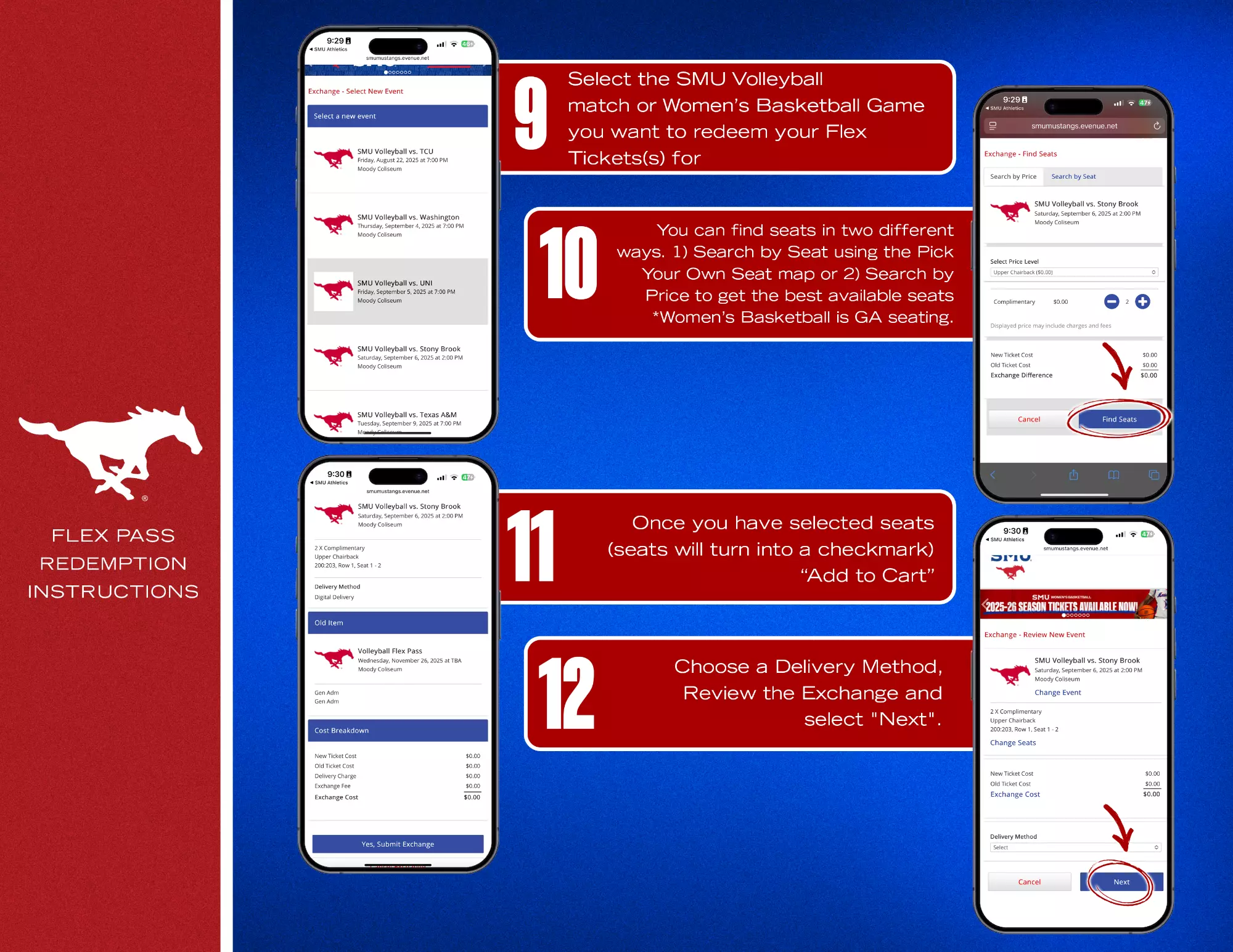
- Step 5: Select the SMU Volleyball match or SMU Women's Basketball game you want to attend.
- Step 6: Choose your seats: Use the Pick Your Own Seat Map, or Search by Price to find the best available options. Women's Basketball is GA seating.
- Step 7: Once seats are selected (they’ll show a checkmark), click “Add to Cart.”
- Step 8: Choose your Delivery Method, review your selections, and click “Next.”
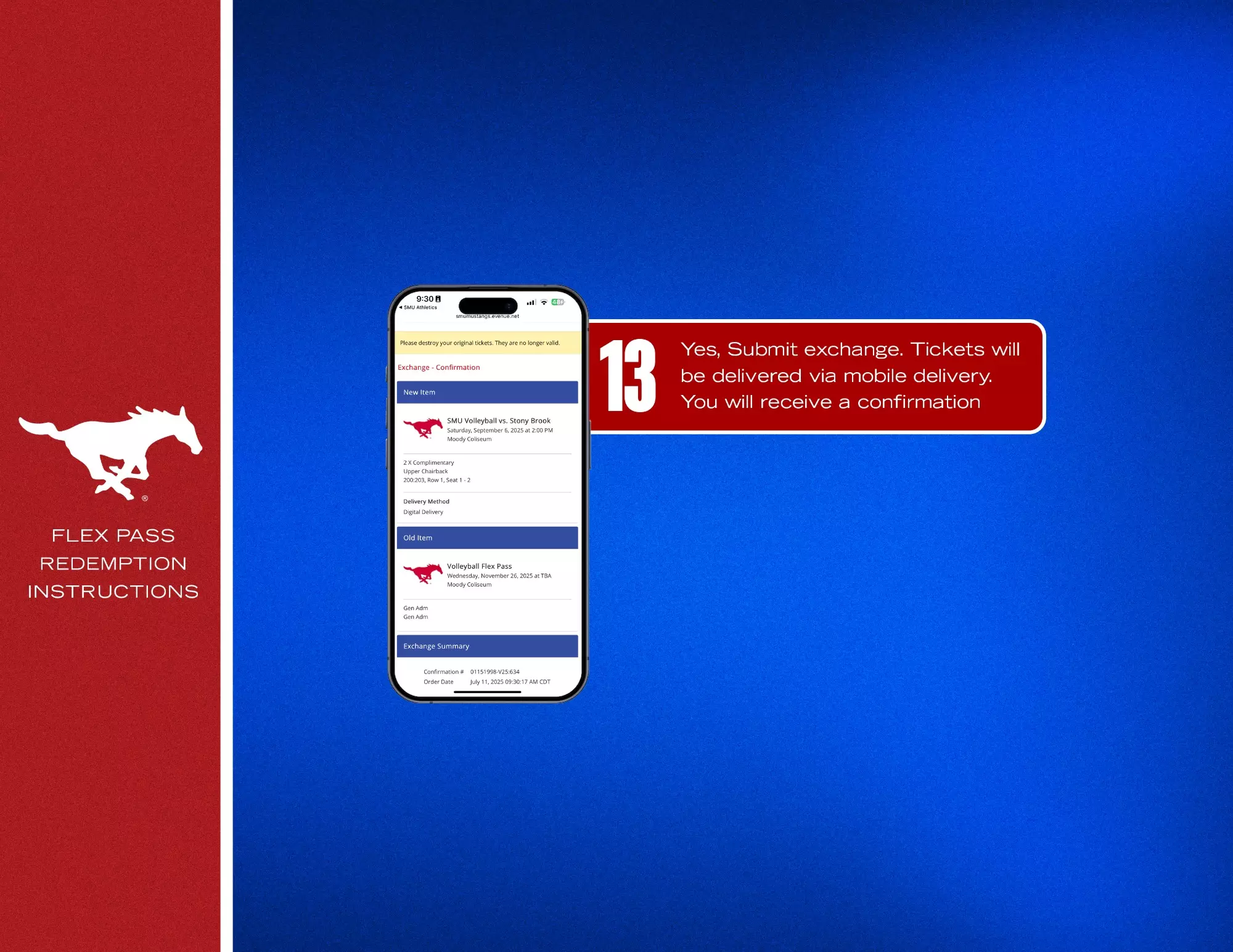
- Step 9: Click “Yes, Submit Exchange.”
- Step 10: Your tickets will be sent via mobile delivery, and you'll receive a confirmation email
PHOTO INSTRUCTIONS BELOW